

Producers: Find Beat Key and BPM Instantly and Verify in Your DAW
Use a free browser-based analyzer with drag-and-drop upload for instant beat key and BPM estimates, complete with a Camelot code and a confidence reading. When no file is available, a tap-tempo tool with at least four steady taps gives a dependable manual average. Treat every automated result as an estimate, not gospel. Verify it against your DAW’s grid before it shapes a release.
TL;DR:
- Automated analyzers are estimates and should be manually verified by listening and checking against your DAW’s grid, especially for ambiguous tracks or different file versions.
- Most tools analyze common audio formats in seconds, with local processing offering faster results and better privacy for unreleased material.
- Tap-tempo and manual calculations are reliable alternatives in live situations or when no file can be uploaded, but beware of half-time and double-time confusion.
- Camelot codes and BPM values should be confirmed before set planning or sample layering, and re-analyzed after any pitch-shifting or time-stretching.
- Relying solely on automated detection risks mismatched drops or dissonance, so treat these numbers as a first draft and always verify by ear.
Table of Contents
- Reading Beat Key and BPM: What the Analyzer Shows You
- How Key and BPM Detection Actually Works
- When You Can’t Upload: Manual Tempo and Key Checks
- Decoding BPM, Key Names, Camelot Codes, and Half-Time Results
- Putting Key and BPM to Work in Your DAW or Set
- Why Precise Detection Speeds Up Beat Selection
- Preview Tempo-Matched Beat Packs Built for Independent Artists
- What Tap Tempo Taught Me About Trusting Machines Less
- Sources
Reading Beat Key and BPM: What the Analyzer Shows You
Most instant analyzers accept MP3, WAV, FLAC, M4A, and OGG files, and the process is nearly identical everywhere: drag the file into the browser window, or paste a streaming URL if the tool supports it, and wait a few seconds for results. Single-file mode suits a producer checking one sample before a session. Batch mode earns its keep when you’re sorting a folder of fifty stems before a set and need BPM and key tagged across all of them at once.
Some of the better tools run analysis entirely in the browser, meaning the audio never leaves your device, which matters if you’re working with unreleased material. That local processing also tends to return results faster than a server round trip.
Once you have a reading, the workflow is simple:
- Copy the BPM directly into your DAW’s project tempo field.
- Drop the key name into the track’s metadata tag for later sorting.
- Use the Camelot code to set DJ cue points for harmonic transitions mid set.
How Key and BPM Detection Actually Works
Tempo detection relies on autocorrelation and transient detection, essentially the software listening for repeating spikes in volume and spacing them into a beats per minute figure. Key detection works differently: it maps the track’s pitch content against known scale patterns to guess the tonal center, a process rooted in spectral and pitch-class analysis rather than rhythm.
Modern workflows lean on this numeric precision because older, qualitative tempo language like “andante” or “allegro” was never built for machine analysis or DAW synchronization; BPM markings replaced that ambiguity once electronic production took over.
Detection still breaks in predictable ways:
- Ambient tracks with no clear pulse confuse tempo algorithms badly.
- Free jazz and tracks with heavy tempo drift throw off autocorrelation entirely.
- Pitch-shifted vocals or dense vocal layers can mask the true tonal center.
- Radio edits, remasters, and album versions of the same song frequently return different BPM or key values.
Tempo and key estimates can differ between tools simply because algorithms vary and file versions differ, so always verify critical values manually before a production or release decision. When a reading looks off, listen for the transients yourself, confirm the beat against your DAW’s grid, and re-run the analysis on a cleaner section of the file.
Confidence check: a strong analyzer will attach a confidence percentage to its reading.
When You Can’t Upload: Manual Tempo and Key Checks
Not every situation gives you a clean file to drop into an analyzer. Sometimes you’re standing in a room listening to a track through someone else’s speakers, and tapping it out by hand is the only option you’ve got.
- Open a tap-tempo tool and tap steadily on the beat for at least four taps; more taps average out timing errors and produce a tighter BPM reading.
- If no tool is handy, count the beats across four bars, divide by the seconds elapsed, and multiply by 60 to get your BPM by hand.
- Watch for half-time and double-time confusion: a track tapped at 85 BPM might actually be a 170 BPM song felt in half time, so check which framing fits your mix.
- Confirm the result by looping a short, quiet section and tapping again to see if the number holds steady.
Pro Tip: Wear headphones and mute any subwoofer or low-frequency rumble before tapping. Bass bleed makes it easy to tap on a room echo instead of the actual kick.
Decoding BPM, Key Names, Camelot Codes, and Half-Time Results
A result showing “A minor, 8A, 120 BPM” is really three layers of the same information. The key name (A minor) is the traditional label; the Camelot code (8A) is a shorthand DJs use for harmonic mixing, where the letter distinguishes major (B) from minor (A) and the number represents position on the Camelot wheel. Every key has a relative major or minor sharing the same code family, which is why 8A (A minor) and 8B (C major) mix cleanly together.
Half-time and double-time toggles matter because a lot of software defaults to whichever multiple its algorithm favors, not necessarily the one your genre expects.
- Hip-hop typically sits around medium tempo ranges, with many tracks felt in double-time at approximately twice that pace.
- House music clusters near 118 to 125 BPM, a range genre norms confirm as the standard four-on-the-floor pocket.
- Drum and bass runs at fast tempos frequently, occasionally read at half-time around half that tempo.
For harmonic transitions, move one step clockwise or counterclockwise on the Camelot wheel (+1 or minus 1) to shift energy without clashing keys.
Putting Key and BPM to Work in Your DAW or Set
Once you have a reading you trust, set your DAW’s project tempo to match, import your stems, and align the transient markers on the first strong hit. Nudge the grid slightly if the kick drifts against the beat marker. That small adjustment often fixes what looks like a “wrong” BPM reading.

If the detected key clashes with your existing session, you have two options: pitch-shift the new element to match, or swap in a sample that already sits in the same or relative key. Either move avoids the muddy dissonance that comes from layering mismatched tonal centers.
For live sets, store both BPM and Camelot code directly in your file’s metadata tags. Planning a set around Camelot codes rather than key names alone speeds up on-the-fly transitions:
- Group tracks by adjacent Camelot numbers before you build a set order.
- Tag BPM ranges so you can filter fast tracks from slow ones during prep.
- Re-run analysis anytime you pitch-shift or time-stretch a file, since either edit changes both values.
Pro Tip: Keep a “verified” tag separate from “auto-detected” in your library. It saves you from second-guessing a reading you already confirmed by ear last week.
Why Precise Detection Speeds Up Beat Selection
Guessing at tempo and key wastes studio time that could go toward writing. When every beat in a catalog carries accurate BPM and key metadata, an artist building a project can filter by compatible tempo ranges instead of auditioning tracks one by one, hoping something fits.
Some platforms apply that same logic to their catalogs, letting artists sort and audition beats by tempo and key before committing to a pack. Some licenses include unlimited commercial rights, and certain catalogs have reached millions of streams across releases built by independent artists.
Preview Tempo-Matched Beat Packs Built for Independent Artists
Running a track through an analyzer only gets you the numbers. It doesn’t hand you a beat that already fits the tempo and key your project needs. That’s where a curated catalog does the heavy lifting an automated tool can’t.

Tellingbeatzz organizes its catalog so artists can filter beats by tempo and key from the start, skipping the trial-and-error of pitch-shifting a mismatched instrumental into shape. Every beat comes with unlimited commercial rights and instant download, whether you need a single MP3 or a full trackout for mixing. Custom beat packs let you combine multiple tempo-matched instrumentals under one license instead of buying track by track. If your next project needs a beat that’s already sitting in the right BPM and key range, preview the current catalog and build a pack around what actually fits your session.
What Tap Tempo Taught Me About Trusting Machines Less
Automated detection has gotten remarkably good, but the confidence meter on a good analyzer exists precisely because the underlying math still guesses. That distinction gets lost on producers who treat a BPM readout as fact rather than as a starting estimate built from autocorrelation math that has no idea whether it’s listening to a kick drum or a badly mixed hi-hat.
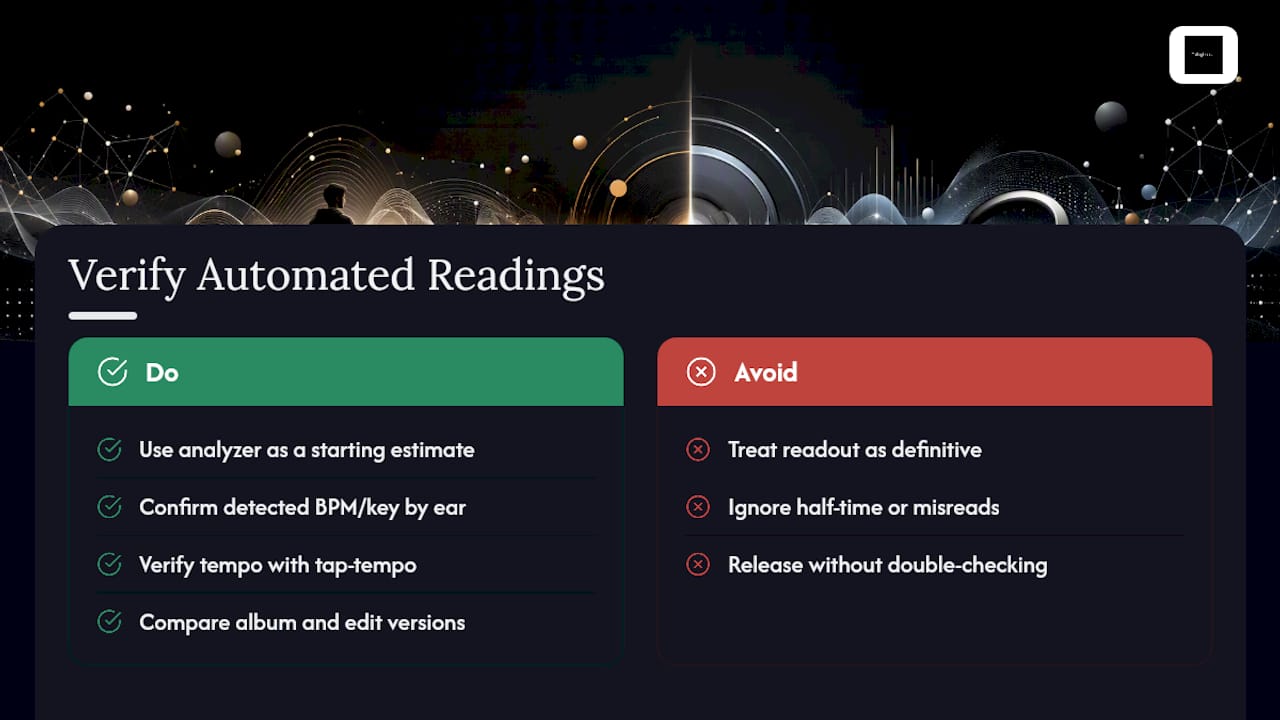
The real skill isn’t finding a tool that claims perfect accuracy. It’s knowing when to distrust the number in front of you. A half-time misread on a trap beat, a key detector confused by a heavily vocoded vocal, a radio edit that clocks in three BPM different from the album version. These aren’t tool failures so much as reminders that music resists being reduced to two clean numbers. The producers who get the best results are the ones who treat automated readings as a first draft, then confirm with their own ears and a tap-tempo check before the number goes anywhere near a release.
That habit of verification, more than any single piece of software, is what separates a workflow that holds up under pressure from one that quietly produces mismatched drops on stage.
— Thomas
Sources
For deeper reference beyond a single analyzer, Tembrica’s BPM and key finder doubles as a Camelot wheel reference. Tap Tempo is worth bookmarking as a pure manual fallback tool. The Wikipedia entry on tempo covers the historical shift from qualitative tempo markings to numeric BPM, useful background if you want to understand why modern software leans on numbers instead of terms like “moderato.”
No Comments