

DistroKid Content ID: What Independent Musicians Need to Know
DistroKid’s Content ID option adds your eligible audio to YouTube’s Content ID system so that any detected use of your song, whether on a stranger’s vlog or a viral clip, can trigger monetization instead of silence. The revenue that follows gets routed through DistroKid’s partner engine, Interstreet Recordings, and lands in your DistroKid balance. This benefits artists who own their masters outright and built their tracks without third-party samples, loops, or licensed sound effects.
Before you pay for the Social Media Pack or opt into this feature, run a quick eligibility gut check:
- Did you write and record every element of the song, or license a beat with full assignment rights?
- Have you avoided sample libraries and any audio you didn’t personally create?
- Has this exact recording never been submitted to Content ID through another distributor?
If you answered yes to all three, you’re likely in good shape. If not, opting in could create conflicts rather than income.
Key Takeaways
DistroKid’s Content ID option only pays off when you own 100% of your master and avoid third-party audio, samples, or duplicate distributor submissions.
| Point | Details |
|---|---|
| Ownership is non-negotiable | You need 100% master rights; beats, loops, and sample-library audio disqualify a release. |
| Interstreet claims are normal | Seeing Interstreet Recordings on a claim email means Content ID is working, not that you’ve been hijacked. |
| Creator Music is optional | You can send a release to Content ID while opting out of YouTube Creator Music entirely. |
| Art Tracks can’t be allowlisted | Auto-generated Topic channel videos sit outside the allowlist tool’s reach. |
| Licensing clarity protects eligibility | Tellingbeatzz beats come with unlimited commercial rights, helping artists preserve the ownership Content ID requires. |
Table of Contents
- What Is YouTube Content ID, and How Does DistroKid Use It?
- Who Qualifies for DistroKid’s Content ID Service?
- How Do You Opt Into DistroKid’s Content ID Feature?
- How Does Content ID Turn Into Actual Payouts?
- How Do You Manage Content ID Claims Once They Start Coming In?
- What Are the Real Limitations of DistroKid’s Content ID?
- How Do You Check for Matches and Set Up Allowlisting?
- What License Terms Should You Demand When Buying Beats?
- Where to Buy Beats That Keep Your Content ID Eligibility Intact
- Frequently Asked Questions
- Sources
What Is YouTube Content ID, and How Does DistroKid Use It?
Content ID is YouTube’s automated fingerprinting system. It scans every video uploaded to the platform and compares the audio against a reference database. When it finds a match, it applies whatever action the rights holder has set, most commonly turning on ads and directing that revenue to the copyright owner instead of the uploader.
DistroKid doesn’t operate a Content ID system of its own. Instead, when you opt into the Social Media Pack album extra, DistroKid adds your track’s fingerprint to the database on your behalf, so YouTube (and other platforms) can recognize it inside other people’s uploads.
Here’s what that actually looks like in practice:
- Your song gets fingerprinted and entered into the matching system.
- Matches generate copyright claims, which is standard, expected behavior, not a sign something went wrong.
- Those claims frequently list Interstreet Recordings as the claimant. Interstreet is DistroKid’s operational partner for this feature, and seeing its name in a notification email means the system is working exactly as intended.
Who Qualifies for DistroKid’s Content ID Service?
Eligibility comes down to one uncompromising standard: full ownership. DistroKid requires that you own all the master rights to the exact recording you’re submitting. Not partial ownership. Not a license to use certain elements. Full ownership, no exceptions built in.
That threshold disqualifies more releases than most artists expect. Common culprits include:
- Tracks built on third-party beats or loops without an assignment of rights.
- Anything pulled from sample libraries bundled with GarageBand, Ableton, Logic, or FL Studio.
- Audio lifted from games, films, or television, even briefly.
- Public domain recordings or found sounds you didn’t originally capture.
Beyond the ownership question, two other traps catch artists off guard. First, if this same recording has already gone through Content ID via another distributor like TuneCore or CD Baby, submitting it again through DistroKid creates a direct conflict rather than double protection. Second, remixes and collaborations carry hidden risk: if your track contains any material a co-writer, sample source, or collaborator has separately registered, the system can flag a mismatch even when your intentions were entirely legitimate.
This is why the eligibility check matters more than the opt-in button itself. A comparison of major distributors shows how easily the same master can end up submitted twice when an artist switches services mid-career without checking prior submissions first. If you’ve ever moved your catalog between platforms, that history is worth auditing before you spend money on Content ID access.
How Do You Opt Into DistroKid’s Content ID Feature?
Getting a release into Content ID takes a handful of deliberate steps inside your DistroKid dashboard, not a single toggle. Rushing this process is where most avoidable conflicts begin.
- Upload a new release or open an existing one that’s already live.
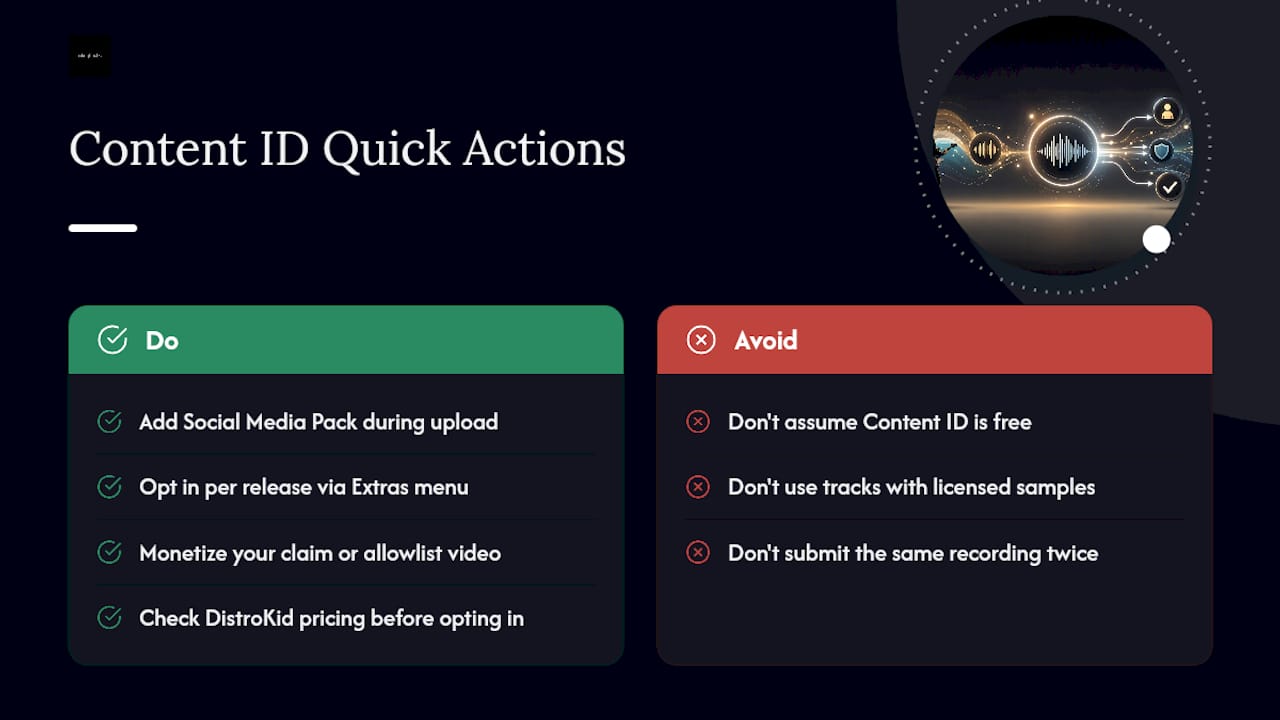
- Navigate to the “Extras” section during upload (or via your release’s settings if it’s already distributed).
- Select the Social Media Pack / Content ID option and confirm the eligibility terms.
- Before finalizing, verify the release hasn’t been submitted to Content ID by a previous distributor.
- Decide whether to opt into YouTube Creator Music alongside Content ID, or send the release to Content ID while skipping Creator Music entirely.
That last choice deserves real thought. DistroKid explicitly allows artists to send a release to Content ID while opting out of Creator Music, which matters if you’d rather retain more control over how licensing deals with individual creators get negotiated, rather than folding your track into YouTube’s broader Creator Music library sight unseen.
How Does Content ID Turn Into Actual Payouts?
The path from a detected match to money in your account runs through several hands before it reaches yours, and understanding each link helps you make sense of what shows up in your dashboard.
The sequence works like this:
- YouTube’s system detects your fingerprinted audio inside someone else’s upload.
- Ads get enabled on that video, or a licensing arrangement kicks in depending on how the uploader’s channel is set up.
- Interstreet Recordings, acting as DistroKid’s claimant, collects the resulting ad revenue on the back end.
- DistroKid applies its share of that revenue and deposits the remainder into your artist balance.
The Social Media Pack extends this same logic beyond YouTube, capturing earnings when your music shows up natively inside TikTok, Instagram, and Facebook content too, not just YouTube uploads.
Two recent shifts in YouTube’s own policy complicate this picture. Creator Music, YouTube’s licensing library for creators who want to use commercial tracks legally, and the RevShare program built around it, can override a standard Content ID claim in specific situations, particularly short clips under 30 seconds or placements where a creator has already licensed the track through Creator Music directly. That affects how revenue splits between you, the platform, and the uploading creator. If your goal is maximum control over every dollar, understanding which program applies to a given use matters more than most artists realize.
How Do You Manage Content ID Claims Once They Start Coming In?
Opting in isn’t a “set it and forget it” decision. Real management happens after the fact, especially when your own content gets caught in the system’s net.
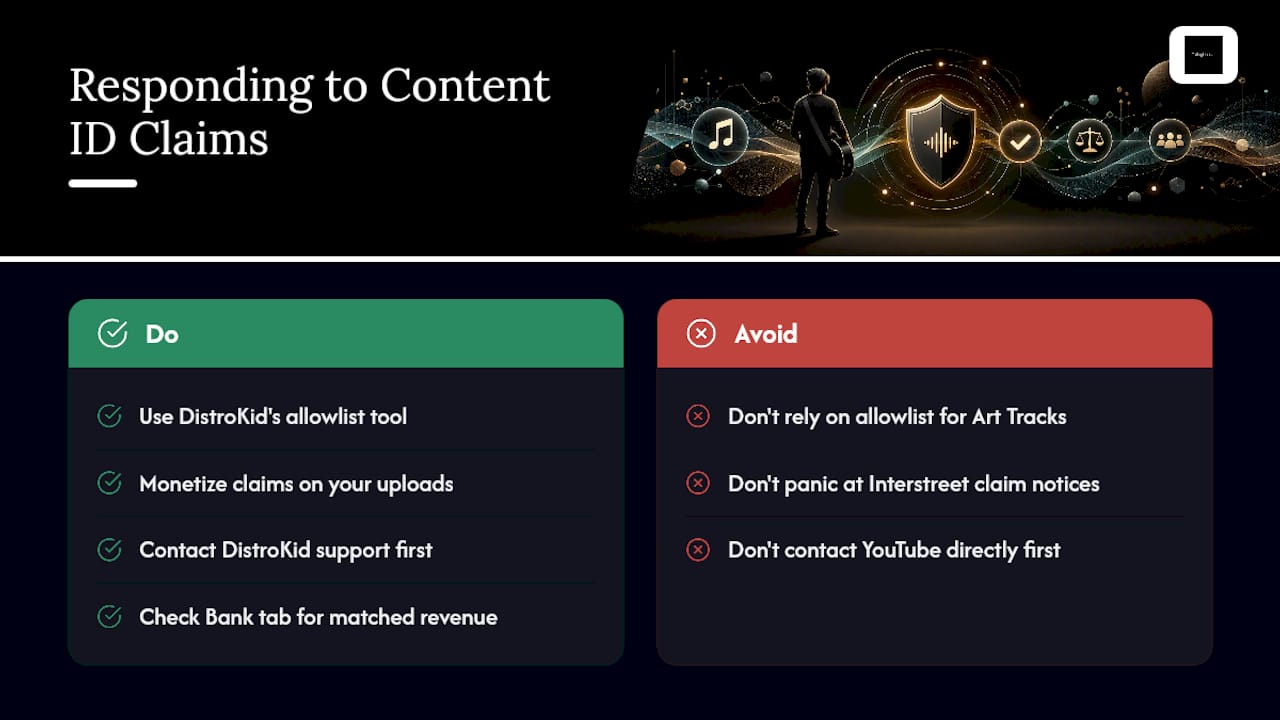
DistroKid gives you an allowlist (sometimes called a whitelist) tool specifically for this. Use it to exempt particular videos, your own official uploads, a fan’s approved cover, a licensed sync placement, from triggering a claim at all. There’s one important limitation worth knowing before you rely on it: videos that appear as auto-generated Art Tracks on your YouTube Topic channel can’t be allowlisted, because DistroKid doesn’t control how those auto-generated videos get treated the same way it controls fingerprint matching.
If you upload your own song to your own channel and get an automated claim notice listing Interstreet Recordings, don’t panic. That’s expected behavior once you’ve opted into Content ID, not evidence someone stole your work. In most cases you can simply monetize the claim yourself or allowlist that specific video going forward.
For genuine disputes, mismatched claims, someone else’s audio flagged as yours, or vice versa, DistroKid support is the right first stop rather than YouTube directly, since DistroKid manages the underlying submission. And for tracking what’s actually been earned, check the Bank tab inside your dashboard, where matched revenue typically appears before it’s included in a standard payout cycle.
What Are the Real Limitations of DistroKid’s Content ID?
The system is strict by design, and that strictness creates predictable friction points worth knowing before you commit a whole catalog to it.
Sample usage remains the single biggest disqualified. The same eligibility rules that exclude sample-library audio also can’t reliably tell the difference between a properly cleared professional sample and an unlicensed one lifted from a random pack online. The system just sees unowned audio either way.
Other common problems include:
- Non-exclusive beat licenses that don’t transfer master ownership to you.
- Prior Content ID submissions through a different distributor, creating duplicate claims.
- Art Track limitations that prevent certain auto-generated videos from being allowlisted.
The consequences aren’t cosmetic. A conflict can mean lost ad revenue during the dispute window, unexpected takedowns, or claims landing on your own official channel content, exactly the outcome the feature is supposed to prevent.
Pro Tip: Before opting an entire back catalog into Content ID, weigh enforcement against exposure. Aggressive automated claiming can discourage the exact user-generated content, dance covers, meme edits, fan tributes, that often drives an unknown artist’s biggest organic growth. Industry observers increasingly recommend balancing protection with reach rather than claiming everything on sight.
How Do You Check for Matches and Set Up Allowlisting?
Running this audit takes fifteen minutes and can save you from months of unresolved claim disputes.
- Open your DistroKid dashboard and check the Bank tab for any matched revenue entries tied to Content ID.
- Cross-reference recent claim notification emails against your actual YouTube channel to confirm which videos triggered a match.
- Before submitting a new release, search your own catalog history to confirm it hasn’t already gone through Content ID via another distributor.
- Locate the allowlist tool within your release settings and add any videos you want exempted from future claims.
- Flag Art Tracks separately since they can’t be added to the allowlist no matter how you configure the setting.
This routine matters most in the weeks right after you opt in, when your first wave of matches typically surfaces.
What License Terms Should You Demand When Buying Beats?
If you build your catalog on purchased beats, your eligibility for Content ID lives or dies in the license agreement’s fine print, not in good intentions.
Look for language that explicitly assigns you master ownership, or at minimum grants unlimited commercial rights with permission to register the recording for content identification. Vague non-exclusive licenses rarely meet this bar, since a producer who continues licensing the same beat to other artists undermines your claim to unique ownership.
A few terms worth confirming in writing:
- Explicit assignment of master rights, not just a usage license.
- Clear exclusive versus non-exclusive language, since exclusivity strengthens your eligibility case.
- Written permission to register the master for Content ID or similar identification systems.
- Delivery of track out or project files if a dispute ever requires proof of original composition.
Pro Tip: Keep every invoice and licensing agreement in one folder from day one. When a Content ID conflict surfaces months later, being able to produce dated proof of purchase resolves the dispute far faster than trying to reconstruct the paper trail after the fact.
Balancing Protection and Reach: A Musician’s Practical Perspective
Opting into Content ID isn’t a universal yes or no decision. Catalog tracks and commercial releases with clear licensing benefit from full enforcement, since there’s little upside to letting revenue slip past unclaimed. A single built for virality, on the other hand, often earns more from unrestricted fan remixes and dance challenges than it would from claimed ad revenue.
Sample-based work and collaborations deserve extra caution regardless of intent. One quick rule: if a track’s growth depends on strangers using it in their own videos, think twice before claiming every use on sight.
Where to Buy Beats That Keep Your Content ID Eligibility Intact
Tellingbeatzz gives independent artists something a lot of beat marketplaces don’t: unlimited commercial rights built into the license itself, not buried in an upgrade you have to ask for. That distinction is exactly what determines whether a track you build today can clear DistroKid’s ownership requirement tomorrow. A beat licensed with restrictive, non-exclusive terms can quietly disqualify an otherwise strong release from Content ID before you ever hit submit.
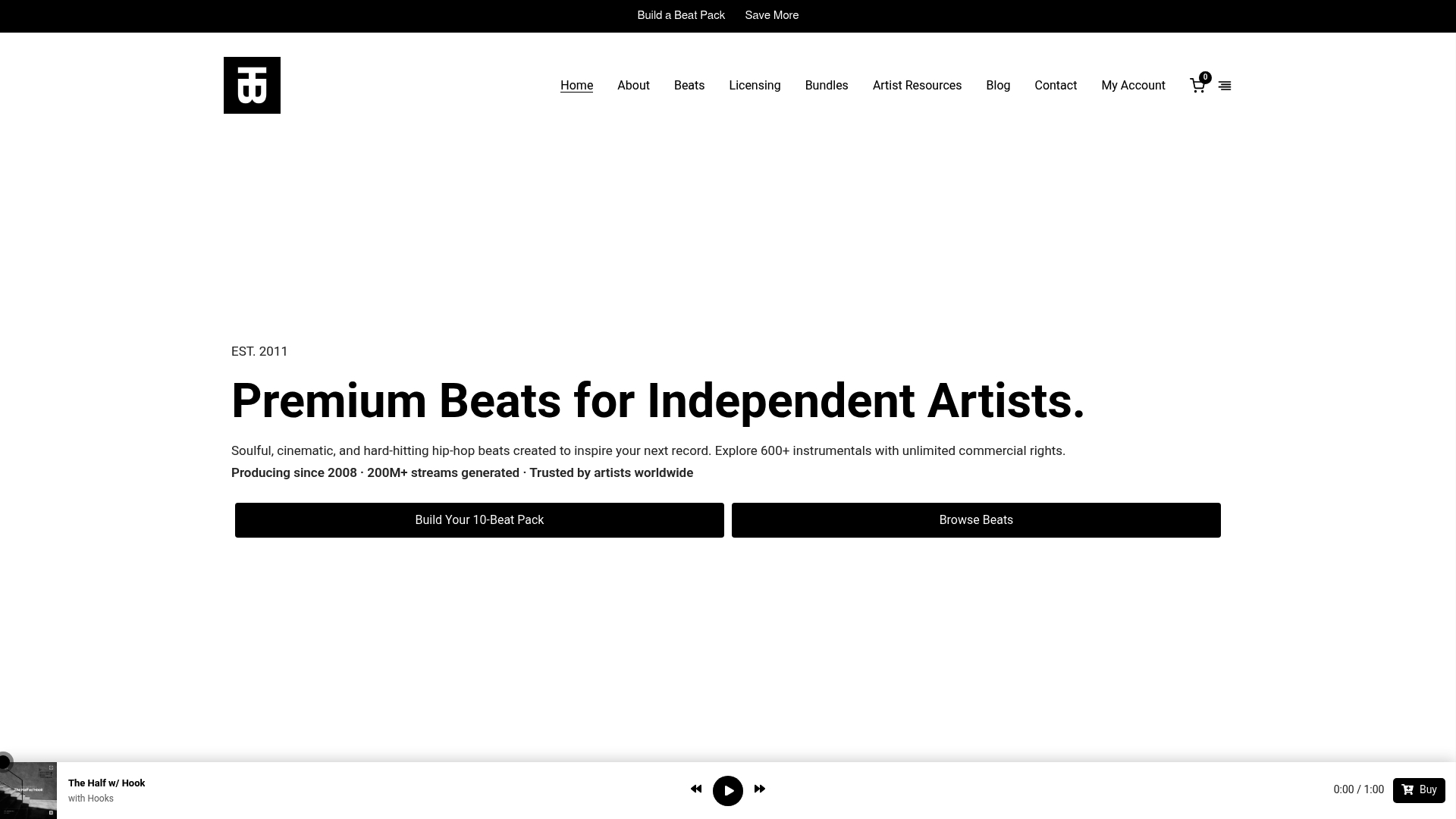
With more than 600 instrumentals available and the option to build a custom beat pack suited to your sound, Tellingbeatzz lets you secure the rights clarity that Content ID eligibility depends on from the very first purchase. Artists who’ve built releases on Tellingbeatzz beats have collectively generated over 200 million streams, a track record built on transparent licensing rather than fine print you need a lawyer to parse.
One caveat worth stating plainly: always read the specific license terms attached to your purchase before opting into Content ID, since ownership requirements can differ slightly by release type. Start by browsing available beat packs and licensing options on the Tellingbeatzz homepage to see what fits your next release.
Frequently Asked Questions
Does DistroKid’s Content ID cost extra on top of standard distribution?
Yes. Content ID access comes bundled with the Social Media Pack, which is an album extra you add during upload rather than a feature included in every plan. Check DistroKid’s current pricing directly, since costs can be charged per release or on an annual basis depending on your plan.
Can I opt into Content ID for some releases but not others?
Yes. The decision happens release by release through the Extras menu, so you can protect a commercial single while leaving a promotional freestyle open for unrestricted fan use.
Why did I get a copyright claim on my own song?
Because you opted into Content ID, and the system flagged your own upload as a match, typically listing Interstreet Recordings as the claimant. This is expected behavior. You can usually monetize the claim yourself or add the video to your allowlist.
Can I use DistroKid’s Content ID if my track contains a licensed sample?
Generally, no. Eligibility requires full ownership of the master, and most sample-library or third-party audio disqualifies a release regardless of how the license was obtained.
What happens if I’ve already submitted a track to Content ID through another distributor?
Submitting the same recording again through DistroKid creates a conflict rather than added protection. Always check your submission history before opting in a second time.
Sources
For the most current details on eligibility, pricing, and dashboard navigation, go straight to the source rather than relying on secondhand summaries, since DistroKid updates these mechanics periodically.
- What is Social Media Pack – DistroKid Help Center
No Comments