


4–6 Weeks to Release: Single Release Checklist for Independent Artists
Plan for four to six weeks of lead time and organize the work into six phases: Preparation, Distribution, Promotion Planning, Days Before Release, Release Day, and Post-Release. That window gives you room for editorial pitching, pre-save setup, and proper asset prep, and it supports a release cadence of one single every six to eight weeks. Every phase below comes with copy-ready checkpoints and a QA runbook you can drop straight into your project notes.
TL;DR:
- Final mastering should be a loudness near negative 14 LUFS without clipping, with all files locked, labeled, and backed up early in the process.
- Register all rights, splits, and licenses before upload to prevent disputes and ensure accurate royalty payments after release.
- Upload your single several weeks ahead and verify metadata, ISRC, UPC, and platform mapping to avoid delays or platform mismatches on launch day.
- Use a shared metadata sheet, test smart links on multiple devices, and have a clear go/no-go decision at T-1 to prevent last-minute technical failures.
- Focus on building a repeatable release system, including proper pitches and promotional assets, to grow audiences steadily over multiple releases.
Table of Contents
- Phase 1: Preparation (T-8 to T-4 weeks)
- Phase 2: Distribution and Metadata QA
- Phase 3: Building the Promotion Plan
- Days Before Release: The T-7 to T-1 Checklist
- Release Day Runbook: What to Do on T-0
- Post-Release: What Comes Next (T+1 to T+30)
- QA Runbook and Common Release Failures
- What Actually Moves the Needle on a Release
- Skip the Studio Bottleneck With Ready-to-License Beats
- Sources
Phase 1: Preparation (T-8 to T-4 weeks)
Everything in this phase happens before a single file touches a distributor. Rush this stage and you inherit every downstream problem, from mismatched credits to artwork that gets rejected at upload. Treat it as the foundation, not a formality.
Audio deliverables and technical specs
Your final master should be a 24-bit WAV file, typically sampled at 44.1kHz or 48kHz, with no clipping and a loudness level that translates well across streaming platforms. Most services normalize playback around negative 14 LUFS integrated, so a hot, overly compressed master often loses punch once the platform turns it down. Ask your mixing or mastering engineer for a version that sits close to that target rather than one optimized for loudness on a phone speaker.
- Confirm final mix and master files are locked, labeled, and backed up in two locations.
- Verify loudness is in a reasonable streaming range and there is no audible clipping.
- Export a clean instrumental and, if relevant, an a cappella or stem set for remixing and sync opportunities.
- Save a WAV master and an MP3 preview copy for quick sharing with press or curators.
Credits, splits, and rights documentation
This is where independent releases most often break down. If you sampled or licensed a beat, worked with a co-writer, or brought in a featured vocalist, you need signed documentation of who owns what percentage before you register anything. Waiting until after release to sort out splits invites disputes and delays royalty payments once money starts coming in.
- Draft and sign a split sheet naming every writer, producer, and performer, with percentages.
- Register the composition with your performing rights organization, listing all writers accurately.
- Confirm mechanical licensing is handled if the track includes a sample or cover element.
- File a signed agreement for any purchased or licensed beat, noting the scope of usage rights.
Artwork and visual asset checklist
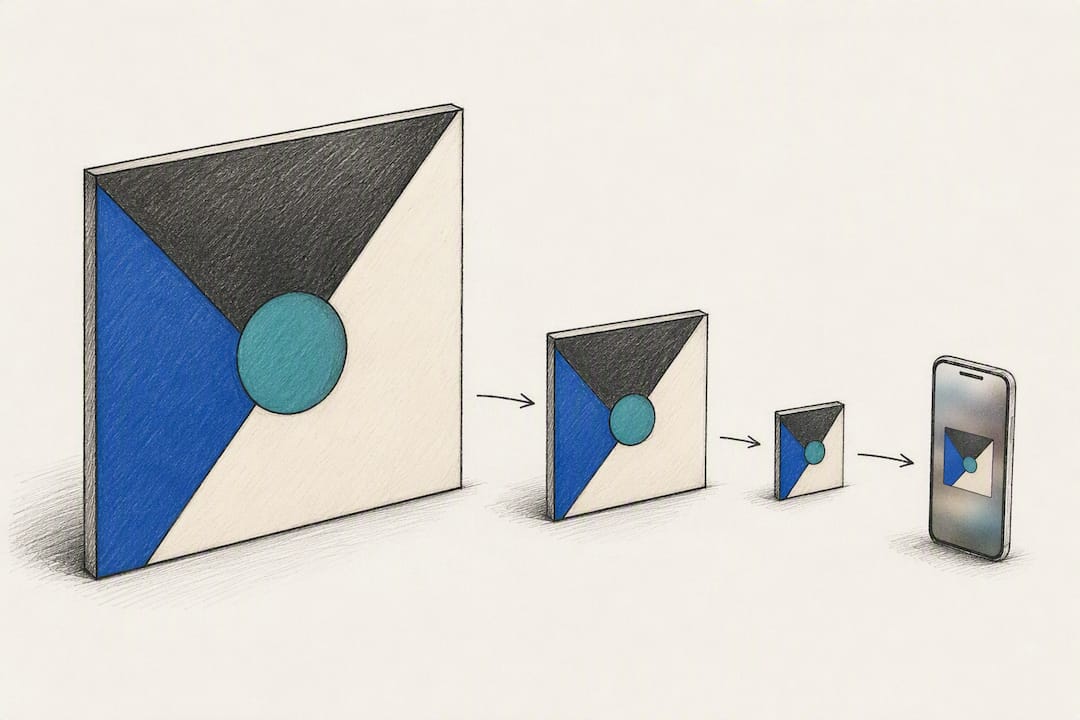
Cover art needs to work as a thumbnail before it works as a poster. A busy design that reads fine at full size often turns into visual noise at 300 by 300 pixels on a phone screen. Build your visual set with that constraint in mind from the start.
Distributor selection and metadata sheet
Not every distributor operates the same way, and the differences matter more than most first-time uploaders expect. Some prioritize speed and low cost with limited editorial support; others give you a direct line to pitch Spotify editorial teams and offer better reporting dashboards. Weigh delivery timing, cost structure, and whether the platform gives you real access to editorial pitch tools before you commit.
Build a single metadata sheet with track title, artist name exactly as it appears on your profile, featured artist credits, genre, release date, ISRC (once assigned), songwriter and producer splits, and label name if applicable. Assign an owner for this document, even if that owner is you wearing a different hat, and set a deadline at least two weeks before your target release date.
Pro Tip: Create your metadata sheet as a shared spreadsheet, not a series of texts and voice memos. When three different formats of your artist name are floating around by upload day, streaming platforms will not reconcile them for you.
Phase 2: Distribution and Metadata QA
Distribution is a mechanical process, but it fails in predictable, avoidable ways. The gap between artists who release smoothly and those who scramble on launch day almost always comes down to metadata discipline in this phase.
Choosing and working with a distributor
Weigh three factors: how fast the distributor delivers your track to platforms, what it costs (flat annual fee versus a percentage of royalties), and whether it gives you tools to pitch Spotify editorial directly rather than relying on algorithmic discovery alone. Faster delivery matters less if the distributor’s editorial pitch form is buried three menus deep or nonexistent.
Upload timing and platform mapping windows
- Upload your single several weeks before release to leave room for distributor processing and platform review.
- Apple Music recommends mapping your new release to the correct artist page at least 10 days before launch, so New Release Insights are active from day one instead of arriving days late.
- Spotify asks that pitches for editorial playlist consideration go in at least seven days before release, ideally through your distributor’s pitch tool rather than a generic submission form.
- Double check that your release date in the distributor dashboard matches the date on your pre-save page and every promotional asset.
ISRC, UPC, and identifier basics
Every track needs an ISRC, the international standard used to identify a specific recording across every platform and reporting system. Most distributors generate one automatically, but confirm it is assigned correctly and tied to your artist name, not a placeholder. A UPC identifies the release as a product (the single or EP as a package) and also comes from your distributor in most cases. Record both numbers on your metadata sheet the moment they are issued.
Metadata QA and change tracking
- Cross-check artist name, track title, and featured credits against your split sheet, PRO registration, and distributor dashboard for exact matches.
- Log every metadata edit with a date and reason, so you can trace what changed if something breaks after upload.
- Assign one person, even on a team of one, as the incident owner responsible for catching and fixing mapping errors after the track goes live.
Phase 3: Building the Promotion Plan
A release with no promotion plan behind it is a file sitting on a server. This phase is where you turn preparation into visibility, and it needs to start well before release week, not the day before.
- Build a smart link landing page with email capture. A pre-save page that collects emails converts pre-release curiosity into first-week streams and gives you a direct channel that doesn’t depend on any platform’s algorithm.
- Draft a content calendar mapped to specific weeks. Assign asset types to dates: teaser clip four weeks out, behind-the-scenes content two weeks out, countdown posts in release week, and a recap or lyric video the week after.
- Build a pitch list for editorial, curators, and press. Separate your targets into Spotify editorial (through your distributor’s pitch tool), independent playlist curators, hip-hop and genre-specific blogs, and college or internet radio.
- Set a paid promotion budget, if you’re using one. Reserve paid spend for release week and the following ten days, when organic momentum is easiest to amplify, rather than spreading a thin budget across a month.
- Coordinate with any collaborators on posting times. A featured artist or producer sharing your release at the same moment you do multiplies reach far more than a solo post ever will.
Your pitch materials matter as much as your pitch timing. A one-line submission with no context rarely gets attention from curators sorting through hundreds of tracks a week. Give each pitch a short story: what inspired the track, who worked on it, and why it fits that specific playlist or blog’s audience. Spotify’s own release guidance notes that Canvas loops and short video assets tend to increase saves and sharing, so build at least one short vertical video into your promotion assets rather than relying on the cover art alone.
Pro Tip: Pitch your Spotify editorial submission the same day you finalize your distributor upload, not the day before your deadline. Editorial teams review submissions on their own schedule, and a late pitch often means missing Release Radar placement entirely.
If you have relationships with hip-hop blogs or niche curators from past releases, this is the phase to reactivate them. Building a running list of outlets that responded to previous pitches saves hours on every future release.
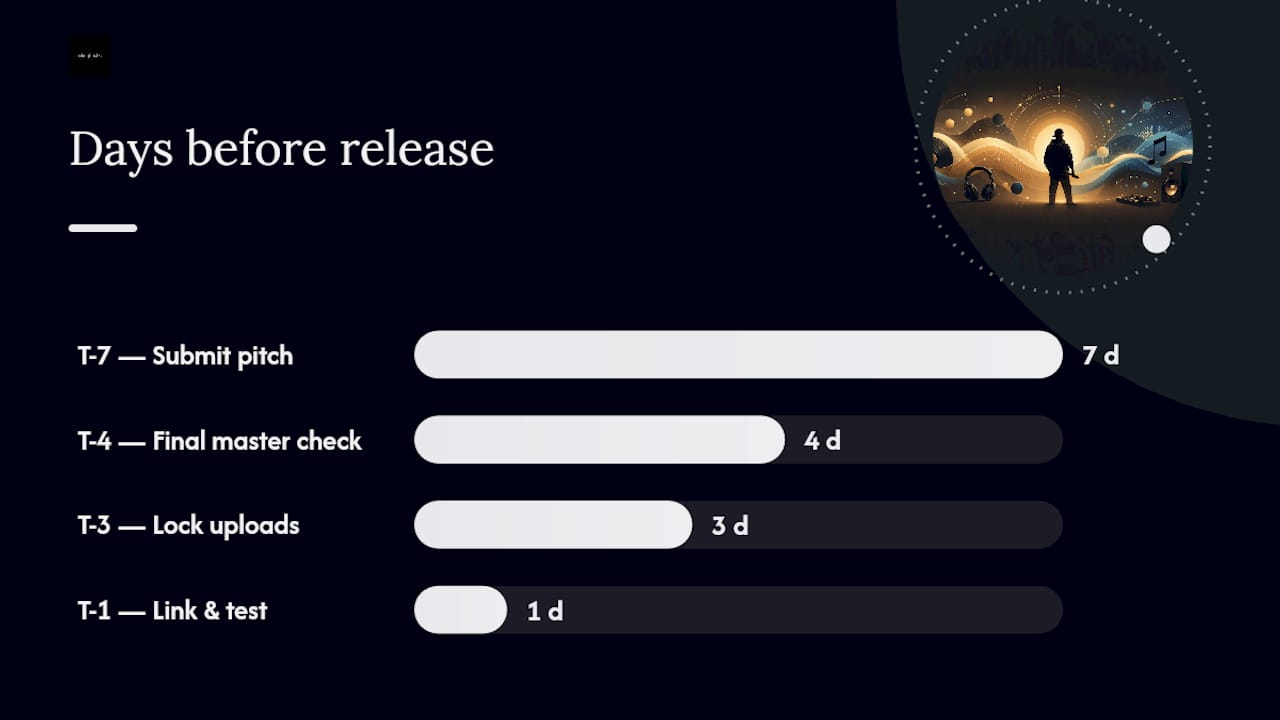
Days Before Release: The T-7 to T-1 Checklist
This window is about verification, not creation. If an asset isn’t ready by T-7, that’s a signal to simplify your plan rather than rush a weak version into place.
- T-7: Confirm your editorial pitch has been submitted through your distributor and note any confirmation number or reference you receive.
- T-4: Do a final listen-through of the master on at least three playback systems (phone speaker, headphones, car or bluetooth speaker) to catch anything a single environment might hide.
- T-3: Verify all uploads are locked in the distributor dashboard and no metadata fields show a pending or error status.
- T-1: Test your smart link and pre-save page on both WiFi and cellular data, on at least one iPhone and one Android device, clicking every button and platform destination.
Update your artist profile bios and pinned content on Spotify and Apple Music so the new release has context waiting for it the moment it appears. Check that your Canvas loop uploaded correctly and previews without lag or a black frame, since a broken Canvas file can quietly fail without an obvious error message.
Set a clear go or no-go checkpoint at T-1. Decide in advance who has final approval to delay if a distributor edit hasn’t processed, an asset is missing, or a link test fails. Waiting until release morning to figure out who makes that call under pressure rarely produces a good decision. If a distributor edit is delayed, have a backup plan ready: a short statement for your pre-save page acknowledging a brief delay reads far better to fans than silence and broken links.
Release Day Runbook: What to Do on T-0
Release day is execution, not improvisation. Work from a sequence, not a mood.
Morning: route the announcement
- Send your smart link to your email list first, since that audience is most likely to stream immediately and signal early engagement to platform algorithms.
- Post to Instagram, TikTok, and any platform where your following is most active, linking directly to the smart link page rather than a single platform’s app.
- Ask any featured artist, producer, or close collaborator to share within the first hour, when early engagement carries the most weight.
Midday: monitor and respond
Watch four signals in the first six hours: link clicks, saves, new followers, and skip or completion rate if your distributor dashboard surfaces it early. A high click rate paired with low saves usually means the track isn’t landing with the audience clicking through, which is worth noting for your next release rather than panicking over on day one.
- Reply to every comment and direct message about the release personally during the first few hours.
- Repost fan content and story mentions to your own story as they come in.
- Screenshot early engagement (comments, playlist adds, shares) for later use in press follow-up and social proof.
If something breaks
If a link is dead or metadata shows incorrectly on a platform, note the exact issue, screenshot it, and contact your distributor’s support channel immediately rather than waiting to see if it self-corrects. Incorrect metadata mapping is one of the most common technical failures independent artists run into on release day, and most of it is fixable within hours if you flag it early with the right specifics.
Post-Release: What Comes Next (T+1 to T+30)
The first month after release is where you learn whether your plan actually worked, and where you set up the next one.
- Check Spotify for Artists and Apple Music for Artists within 48 to 72 hours; early Apple New Release Insights should already be populated if you mapped your artist page at least 10 days out.
- Recut your best-performing promotional clip into two or three variations testing different hooks, captions, or audience segments around T+7.
- Follow up with any curator or blog that hasn’t responded to your initial pitch, referencing early streaming numbers if they’re strong.
- Decide whether to scale paid promotion spend based on organic click-through and save rates from the first two weeks, rather than committing more budget on instinct.
- At T+30, reconcile what worked against your original plan and set your next release date, keeping the six to eight week cadence that gives streaming algorithms consistent signals to work with.
Treat every metric here as a decision input, not a scoreboard. A modest but steady climb in saves over three weeks often predicts better long-term catalog performance than a single spike that fades by day five.
QA Runbook and Common Release Failures
Most release-day problems trace back to a small set of preventable mistakes. Here’s the pattern worth watching for.
| Failure | Cause | Fix |
|---|---|---|
| Wrong artist page mapping | Distributor mapped release too close to launch | Map at least 10 days before release; verify in Apple for Artists |
| Missing or disputed splits | No signed split sheet before upload | Finalize splits and PRO registration before submitting to distributor |
| Broken smart link | Untested across devices/networks | Test on WiFi, cellular, iOS, and Android before T-1 |
| Metadata mismatch | Inconsistent artist name across platforms | Maintain one shared metadata sheet, cross-check before upload |
A signed split sheet feels like paperwork until a royalty check arrives and nobody can agree on who gets what. Finalizing splits and licensing documentation before you upload prevents the disputes that quietly stall independent releases months after launch.
Pro Tip: Keep a one-page QA runbook in your release folder listing each test (link check, metadata match, artwork approval), who owns it, and an escalation contact if something fails. It takes ten minutes to build and saves hours of scrambling later.
What Actually Moves the Needle on a Release
Most independent artists treat each single as its own isolated event, chasing a spike instead of building a system. That instinct is understandable and mostly wrong. The releases that compound in streams and audience growth over a year are the ones run on a repeatable process, where the artist gets slightly better at pitching, asset timing, and metadata hygiene with every cycle.
Three tasks consistently punch above their effort level: a properly timed Spotify editorial pitch, a tested pre-save page with email capture, and a signed split sheet before upload. None of them require a large budget or a big team. They require discipline and a checklist you actually follow.
Treat your next single not as a one-time event but as the second or third data point in an ongoing cadence. That’s where independent artists start outperforming their own past releases, one checklist at a time.
— Thomas
Skip the Studio Bottleneck With Ready-to-License Beats
Some beat platforms shorten the distance between an idea and a finished master by offering instant access to production-ready instrumentals instead of waiting on a producer’s calendar. Some beats include unlimited commercial use in their licenses, simplifying the rights documentation step: no negotiating percentages on a sample clearance, no chasing a producer for a signed agreement weeks before your deadline.
Platforms may offer extensive catalogs spanning hip-hop, rap, R&B, and soulful styles allowing artists to find beats that fit their voice and move straight into recording, potentially cutting weeks off the preparation phase outlined earlier in this checklist. Some services provide trackout files for artists who want full control in mixing, alongside standard MP3 and WAV formats for faster turnaround. If your release calendar calls for a track four weeks from now and you don’t have one ready, browse the beat catalog at Tellingbeatzz and download instantly to keep your timeline on schedule.
No Comments